Memory — Available Now
Your agent builds knowledge with every session.
Surface what it learned. Codify it as rules. Keep it current as your codebase evolves.
npm install -g @codeyam/codeyam-cli@latestFree. No registration. Runs locally.
Works with Claude Code today, more agents coming soon.
How it works.
Your agent works
Claude Code reads code, makes decisions, encounters confusion. Each session is a source of knowledge.
Memory surfaces what it learned
After a session, run /codeyam-memory. Your agent reviews what happened and proposes rules — conventions, gotchas, architectural decisions worth keeping.
You review and approve
Rules don't land automatically. You see each suggestion, edit it if needed, and approve. Bad suggestions get discarded.
The next session starts smarter
Approved rules guide future sessions. Your agent knows your codebase better each time. The context compounds.
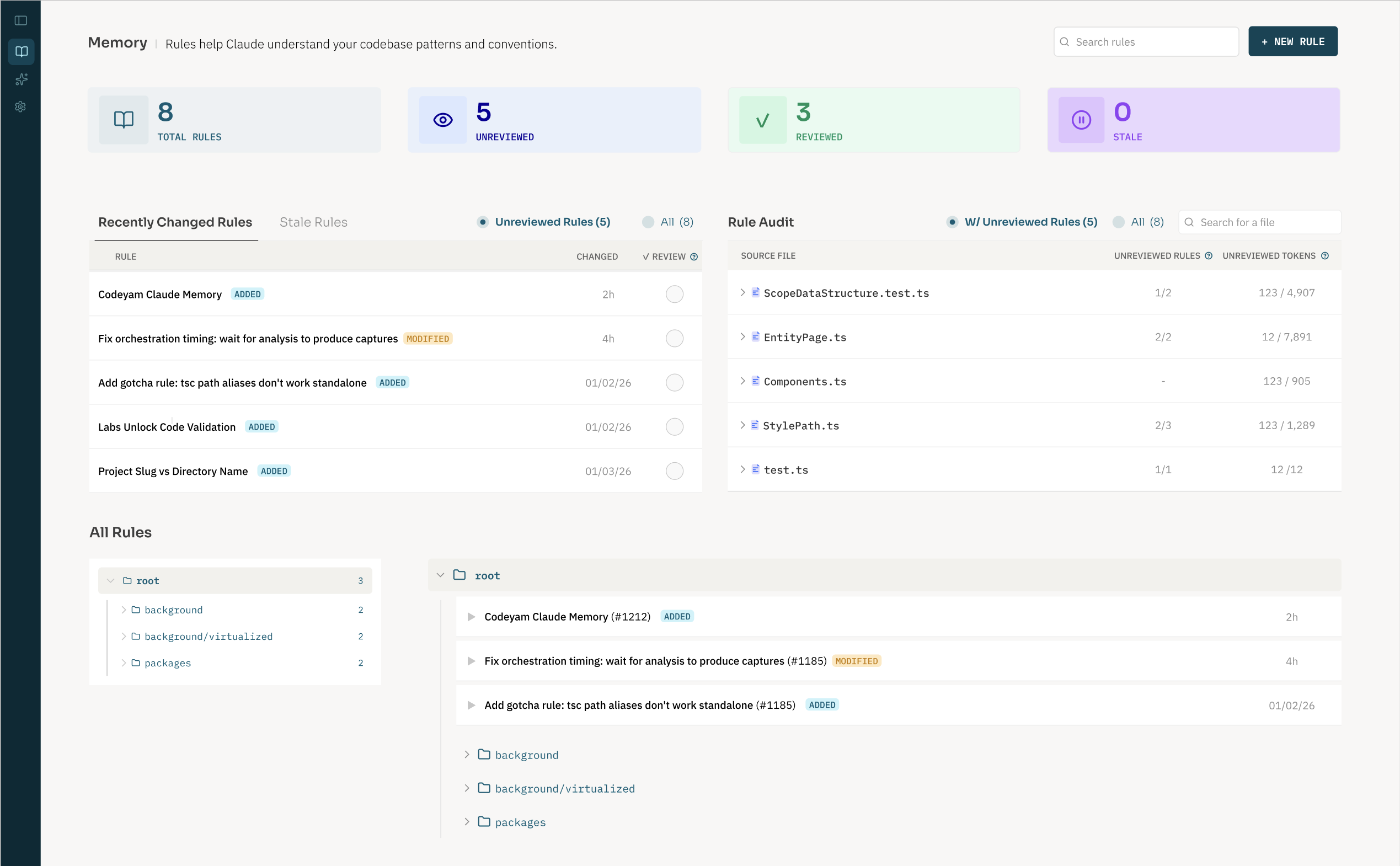
Your agent reviews each working session and surfaces what it learned, as well as areas of confusion, architectural decisions, and conventions worth codifying. These become rules that guide future sessions, so your agent gets more effective over time.
What Memory gives you.
Review & approve
When your agent suggests a new rule, you see it before it lands. You stay in control of what gets codified.
One place for all rules
See every rule across your codebase organized in a folder tree. Search, browse, and understand coverage at a glance.
Conflict detection
Rules that contradict each other get flagged. Stale references that no longer match your code get surfaced.
Coverage tracking
Know which parts of your codebase have strong rule coverage and which areas your agent is flying blind in.
Plain markdown files
Rules live in .claude/rules as ordinary .md files. Edit them directly, commit them to git, share them with your team.
Language agnostic
Works with JS/TS, Python, Ruby, Go, Rust, and Java/Kotlin. More languages on the way.
Start building memory for your codebase.
Free. Runs locally. No account required.
npm install -g @codeyam/codeyam-cli@latest